The private workshop app for 3D printing

Know what every print costs. Track every spool.

Log prints, track filament and resin, price your work and keep your printers healthy — free, with no account and no server of ours holding your records.

Free download for iPhone, iPad and Android.

  • No account
  • No ads or tracking
  • Free backups
The 3DCDesign app icon
  • Free downloadBusiness Premium is optional
  • iPhone, iPad & AndroidiOS 15 or Android 8.0 and later
  • Works offlineEverything is stored on your device
  • Backups always freeFiles you save and keep

Features

Everything your workshop runs on, in one app

From your first print to your first sale: costs, spools, printers and paperwork, all on your phone.

What each print keeps
  • Printer
  • Material
  • Print time
  • Material used
  • What went wrong
  • Photos and notes

Your print history

Look it up the next time you print it.

Print log

Your print log, wins and fails

Record each print with the printer and material you used, how long it took and how much filament or resin it used. When one fails, note what went wrong, then what fixed it.

  • Print time and material used for every print
  • What went wrong, and what fixed it
  • Photos and videos in your Gallery, linked to the print
The Scan and label screen in 3DCDesign, showing a PETG spool found by its label code with 180 g remaining.

Filament and resin

Every spool, every gram

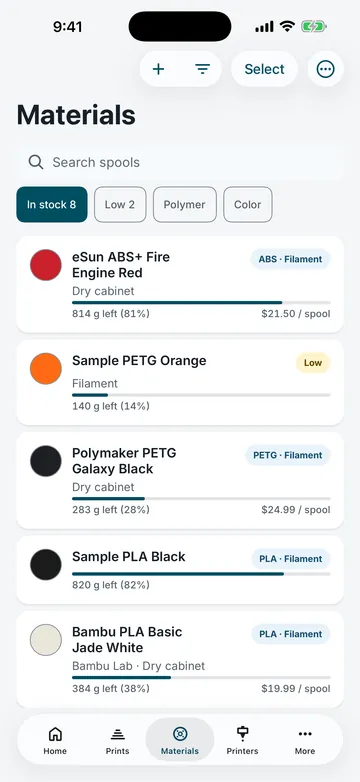
Keep filament and resin in one list with how much is left of each. Stock changes go into each one's inventory history, so you can see where it went.

  • Reorder points that flag a spool running low
  • Print QR labels, then scan a spool to open it
  • Lots, suppliers and what you paid
The Inventory tasks screen in 3DCDesign: three active tasks, two of them due, led by a drying reminder for a PVA support spool due today.

Inventory tasks

Restock before you run out

Drying reminders, checks on which batch a spool came from and purchase lists sit next to the material they belong to. Reminders carry a due time and can send a notification when it arrives.

  • Drying reminders for moisture-sensitive spools
  • Purchase lists with the amount you need
  • What is due today, at a glance
What goes into a print
  • Material
  • Machine time
  • Electricity
  • Labor
  • Extras
  • Your markup

Your price

The calculator adds up each part for you.

Print price calculator

What did that print really cost?

Add material, machine time, electricity, labor and extras, then set your markup. 3DCDesign adds up what a print costs you and suggests what to charge for it.

  • Filament and resin priced by what you paid
  • Your markup on top, for a fair price
  • Turn the result into a quote when someone asks
What each printer keeps
  • Maintenance schedule
  • Service history
  • Status, if you connect it
  • A check before any command
  • Manual logging for any printer

Printers you can rely on

Connections are optional and stay on your network.

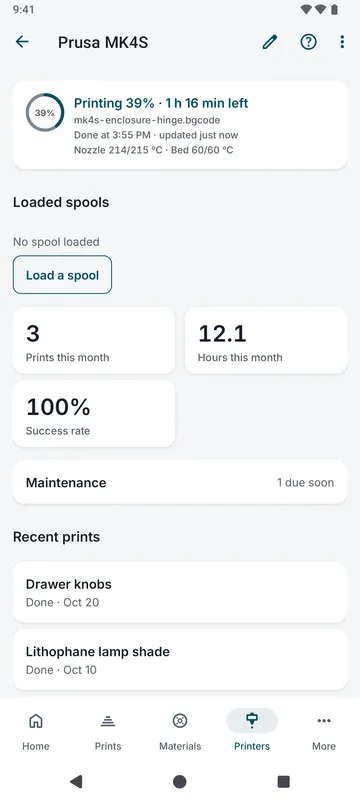
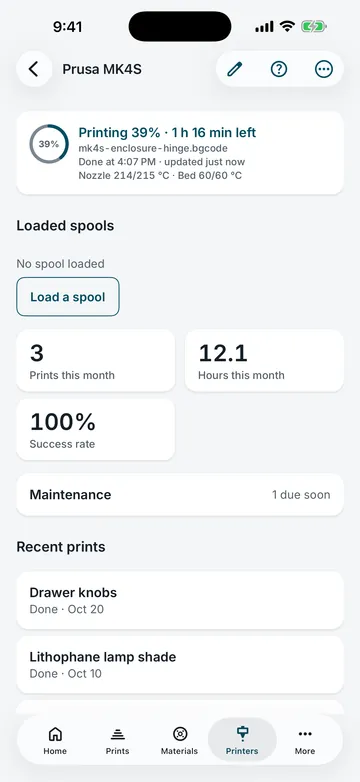
Printers and care

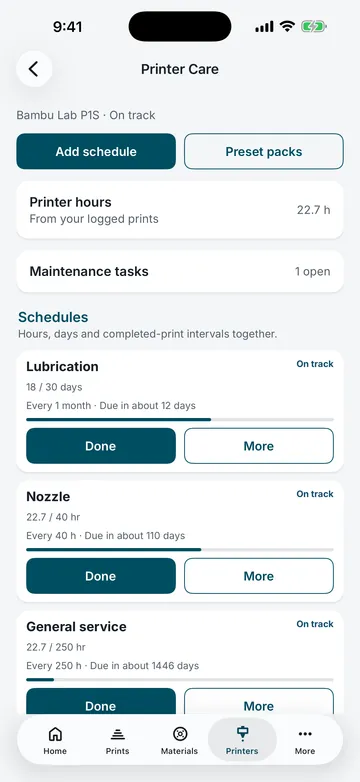
Keep every printer running well

Set a maintenance schedule for each printer and keep its service history in one place. Connect Klipper (Moonraker), OctoPrint and PrusaLink printers on your own network to check their status. Connections are off until you set them up, and every command asks before it is sent.

  • Maintenance schedules and service history for each printer
  • Status for Klipper, OctoPrint and PrusaLink printers
  • Every other printer works with manual logging

And more

Built for the whole workshop

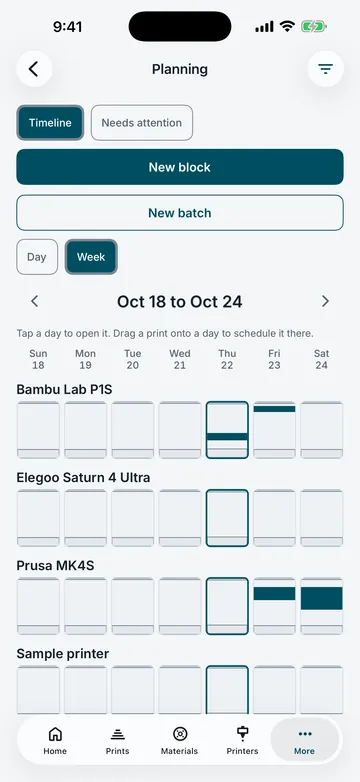
  • One agenda for what's due

    Today's and this week's work in one list: prints, maintenance, restocks and follow-ups, each a tap away.

  • Measure STL and OBJ files

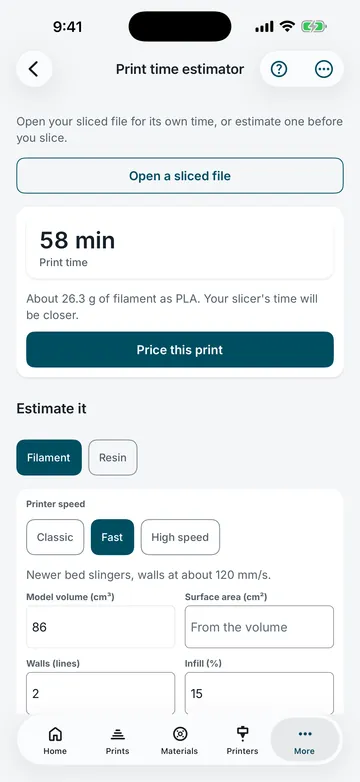
    Open a model on your phone to check its size before you print it, and convert OBJ files to STL.

  • Built-in guides

    A library of materials, infill patterns, techniques and a 3D printing glossary that works offline.

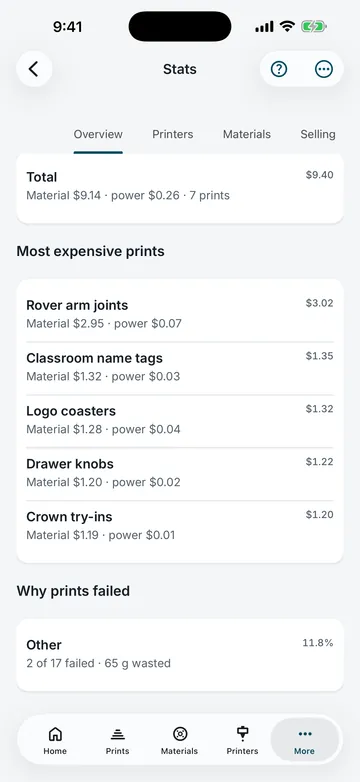
  • Stats and a monthly report

    See how much you print, what it costs and which materials you use, month by month.

  • Light, dark or your color

    Choose a light or dark look and pick your own accent color.

  • Backups you keep

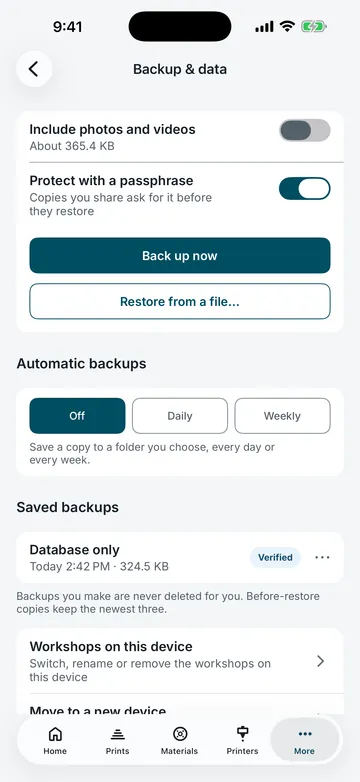
    Save your records, with or without photos, to a file wherever you choose. Making and restoring backups is always free.

See every feature

Privacy

Your workshop stays on your phone

3DCDesign has no account and no server that holds your records. Both app stores list it as collecting no data.

  • No account, no ads and no analytics
  • Printer traffic stays on your own network
  • Backups are free files you keep

When you sell prints

Grows with your side business

Customers, quotes, the agenda and shop insights are free. Business Premium adds the paperwork for when you sell more.

Free for every maker

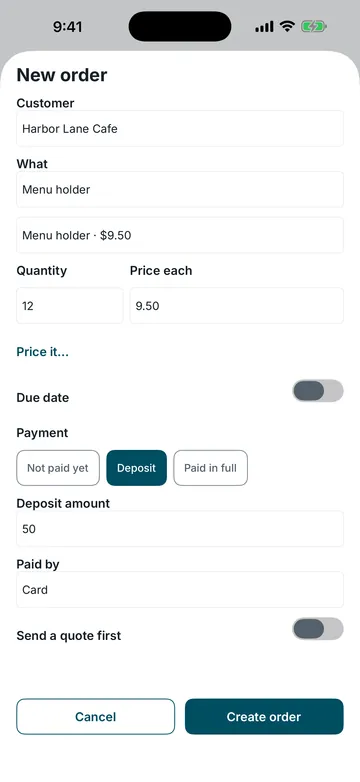
  • Customers and quotes
  • Agenda and planning
  • Shop insights and reports
  • Backups, always

Business Premium adds

  • Invoices you create and finalize
  • Purchase orders for suppliers
  • Customer statements and receipts
  • An accountant export
  • What-if pricing
  • More than 10 active customers

FAQ

Questions, answered

Is 3DCDesign free?

Yes. The download is free, and so is everything for running your workshop: printers, spools, prints, the print price calculator, quotes, maintenance and backups. Business Premium is an optional subscription for sellers who need invoices and other business paperwork.

Do I need an account?

No. There is no sign-up and no login. The app keeps your profile on your device, and that is all.

Where is my data?

On your phone or tablet. Your records stay on this device unless you export, share or save a backup file. Apple or Google may include app data in your device backup, depending on your settings.

Which printers connect?

Klipper (through Moonraker), OctoPrint and PrusaLink printers on your own network. Connections are optional and off until you set them up, and the app asks before it sends any command. Every other printer works with manual logging.

What does Business Premium add?

Invoices, purchase orders, customer rate cards, statements and payment receipts, an accountant export, what-if pricing and more than 10 active customers. Without it, everything you already made stays yours: you can still open it, edit drafts, prints, spools and customers, record payments, export, back up and restore.

More help: All questions · Support · Pricing · Privacy policy

Start your print log today

Free on the App Store and Google Play. No account needed.

QR code that opens the 3DCDesign download page on your phone

On a computer? Scan with your phone's camera to open the download page.